
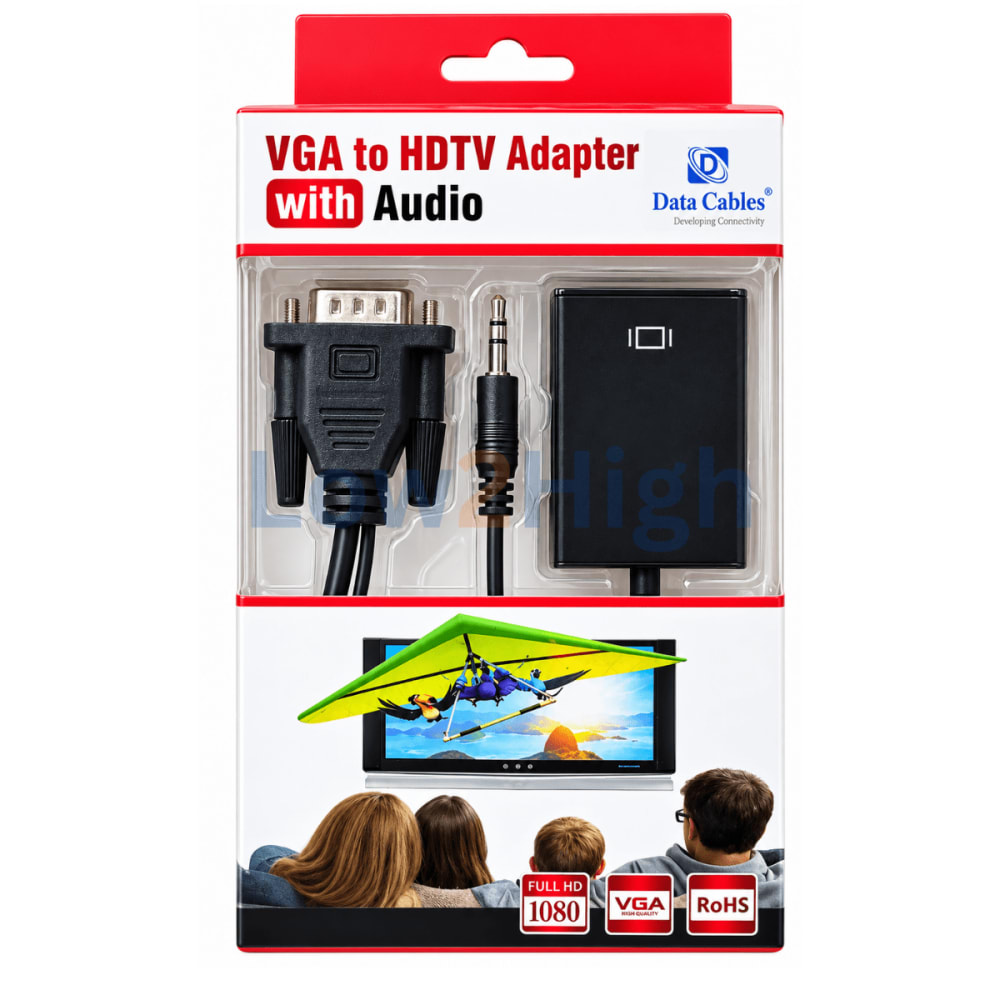
VGA to HDMI Adapter with Audio – 1080P VGA Input to HDMI Output Converter
SKU: COM-C-73HKMA
Condition: New
The VGA to HDMI Adapter with Audio is an active signal converter designed to connect older computers and other compatible VGA source devices to modern TVs, monitors and projectors with HDMI inputs. It converts analog VGA video plus 3.5mm stereo audio into a combined digital HDMI signal.
Key Specifications
Product Type: VGA to HDMI Active
Converter Signal Direction: VGA → HDMI
Only Video Input: VGA / DB15
Male Audio Input: 3.5mm Stereo
AUX Video/Audio Output: HDMI Type-A
Female Maximum Output: Up to 1920 × 1080 @ 60Hz
Conversion: Analog VGA → Digital
HDMI Audio Conversion: 3.5mm Analog Audio →
HDMI Audio Power: External USB 5V
Recommended Power: 5V / 1A
Power Connector: Micro-USB or Mini-USB Depending on
Version Driver Required: No
Setup: Plug-and-Play
Attached Cable Length: Approx. 15–20cm
VGA to HDMI Conversion
The built-in active conversion chipset transforms an analog VGA signal into a digital HDMI signal.
Important: This adapter works in one direction only:
VGA Source → HDMI Display
It will NOT convert an HDMI source into a VGA monitor.
Full HD 1080P Support
Supports compatible input resolutions including:
800 × 600 1024 × 768 1280 × 720/728 1280 × 768 1280 × 960 1280 × 1024 1600 × 1200 Up to 1920 × 1080
Maximum output on applicable versions is Full HD 1080P at 60Hz.
Video + Audio Through HDMI
VGA carries video only, so the adapter includes a separate 3.5mm audio input.
Connect the VGA and 3.5mm audio connections to the source computer, and the converter combines them into a single HDMI output carrying compatible digital video and audio to the display.
USB Powered Active Converter
Unlike a simple passive adapter, this converter contains active electronics and requires 5V USB power.
Power can typically be supplied from:
Computer USB Port TV USB Port USB Wall Charger Other Suitable 5V USB Power Source
A USB power cable is normally included with applicable packages.
Plug-and-Play
No dedicated software or drivers are normally required. Connect the VGA source, 3.5mm audio, USB power and HDMI cable to begin using the converter with compatible equipment.
Typical Setup
Laptop/Desktop VGA Output → VGA-to-HDMI Converter → HDMI Cable → TV/Monitor/Projector
The 3.5mm audio connection provides sound from the source device, while USB supplies power to the conversion chipset.
Ideal For
Older Desktop PCs • Legacy Laptops • HDTVs • Smart TVs • HDMI Monitors • Projectors • Office Presentations • Classroom Displays • Upgrading Older VGA Equipment
Product Highlight
VGA → HDMI • Up to 1080P@60Hz • 3.5mm Audio Input • HDMI Video + Audio Output • Active Conversion Chip • USB 5V Powered • Plug-and-Play